



SPEAKER
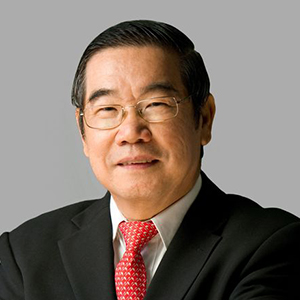
Dr. Chew Weng Chee
SPEAKER BIO
Dr. Chew Weng Chee, formerly a Consultant Obstetrician and Gynecologist, is now the Senior Pastor of SIBKL, leading a dynamic English congregation of over 4,000 in Kuala Lumpur. He holds a Master’s Degree in Theology from Regent College Bible School in Vancouver, Canada; and served as President of Sidang Injil Borneo, overseeing 31 Bahasa Malaysia SIB Churches until 2007. Dr. Chew is a highly-demanded speaker, an anointed minister, and a prolific author who wrote ‘Is Life Worth Living?’ and ‘Chew on Revelation’.
SPEAKER
Dr. Chew Weng Chee
SPEAKER BIO
Dr. Chew Weng Chee, formerly a Consultant Obstetrician and Gynecologist, is now the Senior Pastor of SIBKL, leading a dynamic English congregation of over 4,000 in Kuala Lumpur. He holds a Master’s Degree in Theology from Regent College Bible School in Vancouver, Canada; and served as President of Sidang Injil Borneo, overseeing 31 Bahasa Malaysia SIB Churches until 2007. Dr. Chew is a highly-demanded speaker, an anointed minister, and a prolific author who wrote ‘Is Life Worth Living?’ and ‘Chew on Revelation’.
SPEAKER
Dr. Chew Weng Chee
SPEAKER BIO
Dr. Chew Weng Chee, formerly a Consultant Obstetrician and Gynecologist, is now the Senior Pastor of SIBKL, leading a dynamic English congregation of over 4,000 in Kuala Lumpur. He holds a Master’s Degree in Theology from Regent College Bible School in Vancouver, Canada; and served as President of Sidang Injil Borneo, overseeing 31 Bahasa Malaysia SIB Churches until 2007. Dr. Chew is a highly-demanded speaker, an anointed minister, and a prolific author who wrote ‘Is Life Worth Living?’ and ‘Chew on Revelation’.
SPEAKER
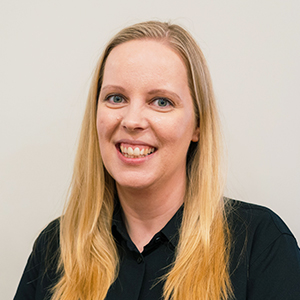
Ps. Sandra Westerdahl
SERMON TITLE
Knowing the Holy Spirit
The ministry of the Holy Spirit is just as important now as it was during the time of the Early Church. He calls us to know Him intimately, and not just ABOUT Him, so that we can enter into greater intimacy and be filled with His Presence and fresh anointing.
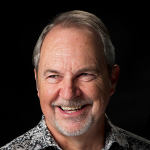
SPEAKER
Ps. Tom Inglis
SPEAKER BIO
Ps. Tom Inglis is a respected worship leader and pioneer in teaching worship as a lifestyle, and was pivotal in leading a church in South Africa from 80 to 10,000 members. He recorded the acclaimed album and DVD ‘We are One’ with Integrity Music and has conducted concerts worldwide. Through his ministry, Psalmody International, he has developed worship lifestyle courses adopted by churches and Bible schools in over 25 countries. In addition to authoring ‘The Worshiping You’ and ‘The Ministry of the Psalmist’, he, along with his wife Barbara, founded Sydney Life Church.
SPEAKER
Ps. Tom Inglis
SPEAKER BIO
Ps. Tom Inglis is a respected worship leader and pioneer in teaching worship as a lifestyle, and was pivotal in leading a church in South Africa from 80 to 10,000 members. He recorded the acclaimed album and DVD ‘We are One’ with Integrity Music and has conducted concerts worldwide. Through his ministry, Psalmody International, he has developed worship lifestyle courses adopted by churches and Bible schools in over 25 countries. In addition to authoring ‘The Worshiping You’ and ‘The Ministry of the Psalmist’, he, along with his wife Barbara, founded Sydney Life Church.
SPEAKER BIO
Dr. Chew Weng Chee, formerly a Consultant Obstetrician and Gynecologist, is now the Senior Pastor of SIBKL, leading a dynamic English congregation of over 4,000 in Kuala Lumpur. He holds a Master’s Degree in Theology from Regent College Bible School in Vancouver, Canada; and served as President of Sidang Injil Borneo, overseeing 31 Bahasa Malaysia SIB Churches until 2007. Dr. Chew is a highly-demanded speaker, an anointed minister, and a prolific author who wrote ‘Is Life Worth Living?’ and ‘Chew on Revelation’.